Ardour
Installation
Follow the installation guide first
Usage in Ardour
Ardour supports loading ArtiString and Synths in one audio track, however by default the entire signal chain is audio-only. The fix is easy, add a midi output to the container in which ArtiString is loaded
- load ArtiString and your software synth into an audio track (lets call it
artistring)
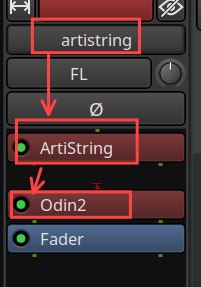
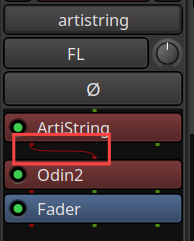
You can see that ArtiString and the synth are not connected
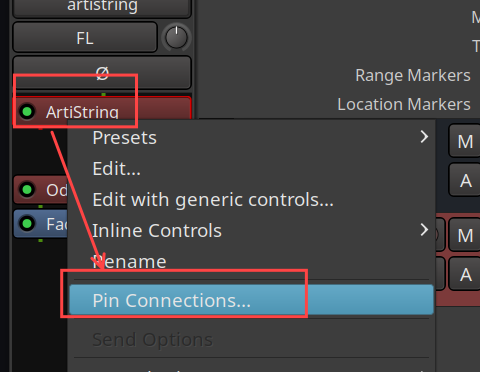
- right-click on ArtiString and select
Pin Connections...
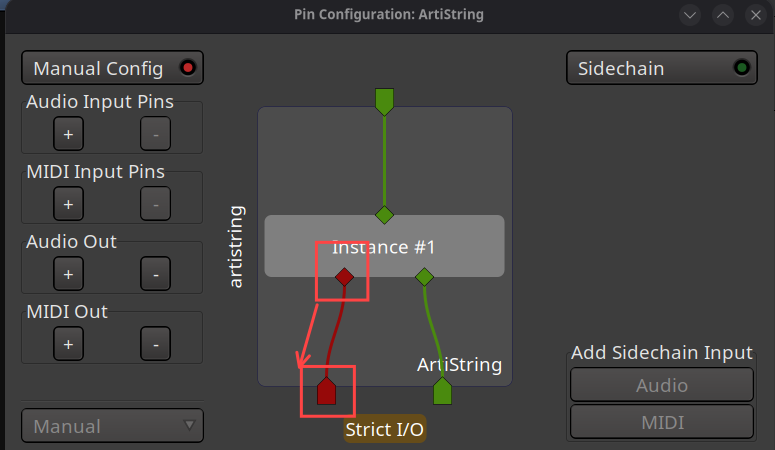
- in the pin connections click on
Manual Configthen add a midi out
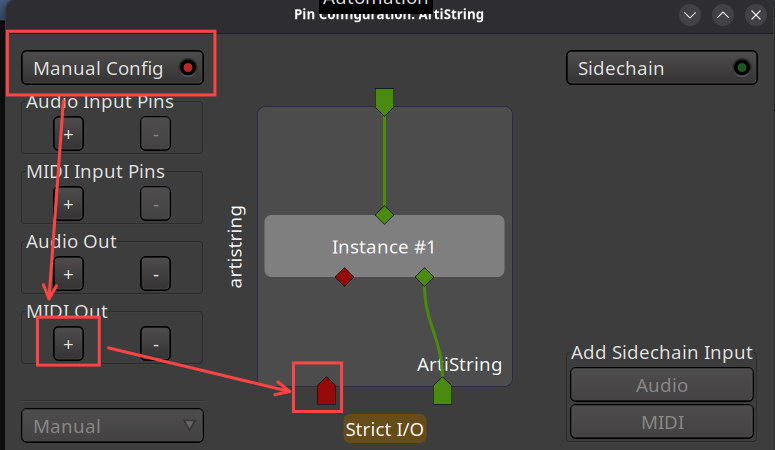
- connect the midi out of
Instance #1to the newly created midi out of the plugin container. Left click and drag the connection to the target midi out
- close
Pin Connections.... Now ArtiString and the synth are connected
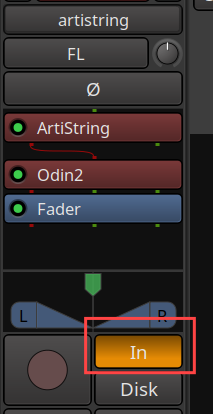
- select input monitoring, pluck a string and you should hear the synth